Bill Split Calculator: Pay Only for What You Ate
Add everyone, add each item from the bill, and untick anyone who didn’t have it.
1. Who was there?
2. What was on the bill?
3. Tax, service and discounts (as on the bill)
4. Who pays what
Tax, service charge, tip and discounts are shared in proportion to what each person ordered. Nothing you enter leaves your browser.
A bill split calculator settles a familiar argument at the end of a meal out: who pays what when not everyone ate the same thing. Add the friends who were there, enter each item from the restaurant bill, and untick anyone who didn’t have it. The calculator divides each shared item only among the people who had it, then adds tax, service charge and tip fairly, so nobody pays for food they didn’t eat.
How to Use the Bill Split Calculator
- Add everyone at the table. Type real names so the result is easy to share in your group chat.
- Enter each item from the bill with its price and quantity. Four burgers at Rs 650 can go in as one line with quantity 4.
- Untick anyone who didn’t have that item. By default every item is shared by everyone; untick the friend who skipped dessert and the bill split calculator leaves them out of that item.
- Copy the tax, service charge and any discount from the bill. Enter them as percentages, plus a flat discount or tip in rupees if needed.
- Share the result. Tap “Share on WhatsApp” to send each person’s amount to the group.
How the Bill Split Calculator Works Out Each Share
There are two steps:
- Items: each item’s cost (price × quantity) is divided equally among only the people ticked for it.
- Extras: discount, sales tax, service charge and tip are shared in proportion to each person’s item total. Someone who ordered more pays a bigger share of the tax, which is how tax works on the bill anyway.
Each person’s share adds back up to exactly the bill total. If you round shares to the nearest Rs 10, the calculator shows how far the rounded total is from the bill, so you know whether a few rupees are left over.
Worked Example: Fast Food With Friends
Ali, Sara, Hamza and Zain go out for fast food. Everyone has a burger, they share two large fries, and three of them have ice cream, but Zain skips it.
| Item | Cost | Shared by | Per person |
|---|---|---|---|
| Burger × 4 | Rs 2,600 | All 4 | Rs 650 |
| Large fries × 2 | Rs 800 | All 4 | Rs 200 |
| Ice cream × 3 | Rs 750 | Ali, Sara, Hamza | Rs 250 |
| Bill total | Rs 4,150 |
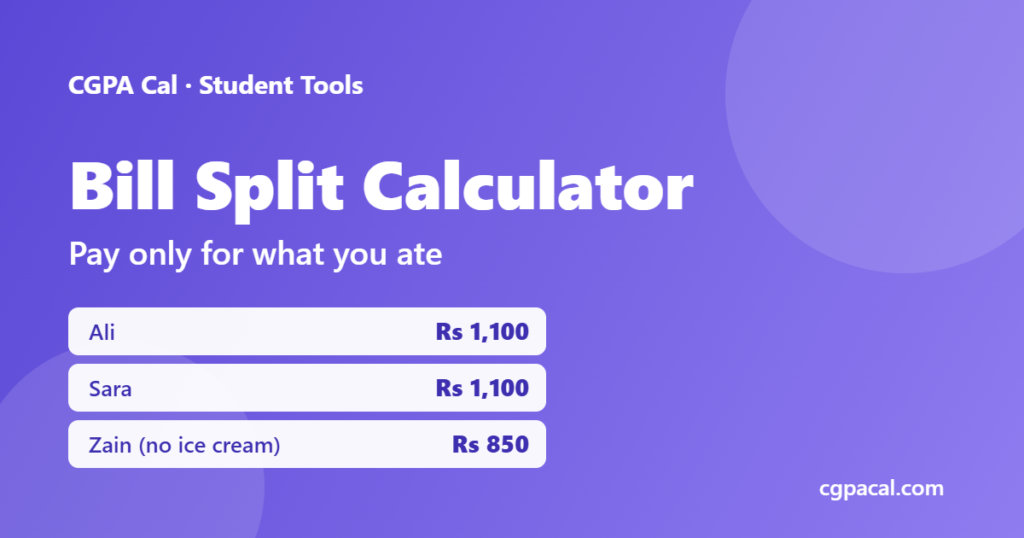
Ali, Sara and Hamza each pay Rs 1,100 (650 + 200 + 250). Zain pays Rs 850 (650 + 200), because the ice cream is not added to his share. Splitting the bill equally would have charged everyone Rs 1,037.50, so Zain would have paid Rs 187.50 for ice cream he never had.
Worked Example: Adding Tax and a Tip
Now suppose the same bill shows 16% sales tax (an example rate; use the one on your bill) and the group leaves a Rs 200 tip. Tax is Rs 664, so the total is Rs 5,014. The bill split calculator shares the tax and tip by what each person ordered:
- Ali, Sara and Hamza: Rs 1,100 + Rs 176 tax + Rs 53 tip = about Rs 1,329 each
- Zain: Rs 850 + Rs 136 tax + Rs 41 tip = about Rs 1,027
Rounded to the nearest Rs 10, that’s Rs 1,330, Rs 1,330, Rs 1,330 and Rs 1,030, which comes to Rs 5,020, so there is Rs 6 extra to leave with the tip.
Sales Tax and Service Charge on Restaurant Bills in Pakistan
Restaurant sales tax in Pakistan is collected by provincial authorities, such as the Punjab Revenue Authority in Punjab, and the rate can depend on the province and on whether you pay by card or cash. Rather than guessing, copy the percentage printed on your bill into the calculator. A service charge, where a restaurant adds one, is usually shown as a separate line; enter it in the service charge box so it is shared fairly too.
Tips for Splitting the Bill Without Arguments
- Decide before ordering whether you are splitting equally or by item. Itemised works best when orders differ a lot.
- Treat shared plates as shared. Starters, fries and drinks jugs go to everyone who ate from them.
- Use the bill split calculator while you are still at the table, so nobody has to remember prices later.
- One person pays, everyone transfers. Paste the summary into the group chat and settle by bank transfer or mobile wallet the same day.
- Round to an easy figure and let the few extra rupees go to the tip.
More Tools for Student Life
Planning a bigger outing, like a class picnic or study tour? Use the trip cost calculator to set a per-student budget before you go. And for the academic side of student life, the CGPA calculator and attendance calculator are a tap away.
Paying by card or cash? The tax on your bill changes with the payment method in most of Pakistan. See restaurant sales tax in Pakistan: card vs cash for the current rates by province.
Frequently Asked Questions
How do I split a restaurant bill when people ordered different things?
Split each item only among the people who had it, then share tax, service charge and tip in proportion to each person’s order. The bill split calculator above does this automatically.
Should tax and tip be split equally or by what people ordered?
Splitting them in proportion to each person’s order is fairest, because tax is charged on the food itself. Someone who ordered less pays a smaller share.
How do I split a shared item like fries or a pizza?
Tick everyone who ate from it. The calculator divides that item’s price equally among only the ticked people.
What sales tax rate is on restaurant bills in Pakistan?
It depends on the province and sometimes on whether you pay by card or cash. Copy the rate printed on your bill rather than guessing.
Does this bill split calculator save my data?
No. Everything is calculated in your browser and nothing you enter is sent to our server.